# 视频生成教程
> 全部文档的索引见 [llms.txt](https://ark.volcengine.com/llms.txt);在任一文档页面地址后追加 `.md` 可获取该页的 Markdown 版本。
Seedance 模型具备出色的语义理解能力,可根据用户输入的文本、图片、视频、音频等全模态内容,快速生成优质的视频片段。本文为您介绍视频生成模型的通用基础能力,指导您调用 [Video Generation API](/docs/create-video-generation-task-api) 生成视频。如需了解各版本模型的特色能力,请参见 [Doubao Seedance 2.5 教程](/docs/seedance-2-5)、[Doubao Seedance 2.0 系列教程](/docs/seedance-2-0)。
# 效果预览
访问 [模型卡片](https://ark.volcengine.com/region:cn-beijing/model/detail?Id=doubao-seedance-2-0) 查看更多示例。
|场景 |输入:提示词 |输入:图片、视频、音频 |输出 |
|---|---|---|---|
|全模态参考 |以**图片1**为首帧,画面放大至飞机舷窗外,一团团云朵缓缓飘至画面中,其中一朵为彩色糖豆点缀的云朵,始终在画面中居中,然后缓缓变形为**图片2**中的冰淇淋,镜头推远回到机舱内,坐在窗边的**图片3**中的角色伸手从窗外拿进冰淇淋,吃了一口,嘴巴上沾满奶油,脸上洋溢出甜蜜的笑容,此时视频配音为**音频1** | |[视频](https://p9-arcosite.byteimg.com/obj/tos-cn-i-goo7wpa0wc/8eaeafa52ae04afe8d8894be0145c8c8) | \
|> 可参考图、 | | | | \
|> 视频和音频 | | | | \
| | | | | \
| | |[冰淇淋 .mp3](https://p9-arcosite.byteimg.com/tos-cn-i-goo7wpa0wc/8d84cc7bbb5f486cbe66c26ddd1f6e47~tplv-goo7wpa0wc-image.image) | |
|编辑视频 |将**视频1**中的房子外立面墙壁刷成蓝色,天气和光线参考**图片1**的雪天 |[视频](https://p9-arcosite.byteimg.com/obj/tos-cn-i-goo7wpa0wc/0751d1ba97664456893058e914a1b44a) |[视频](https://p9-arcosite.byteimg.com/obj/tos-cn-i-goo7wpa0wc/5c17f8570a3943ceaa0c806aeffcbac9) | \
|> 替换视频主体、视频中对象增删改、局部画面重绘/修复等 | | | | \
| | | | | \
| | | | | \
| | | | |
|延长视频 |将**视频1**向后延长,11秒视频,汽车丝滑行驶到一片沙漠绿洲,背景音乐使用**音频1** |[视频](https://p9-arcosite.byteimg.com/obj/tos-cn-i-goo7wpa0wc/7d84f0e0149348f598c8df548195b1c1) |[视频](https://p9-arcosite.byteimg.com/obj/tos-cn-i-goo7wpa0wc/37e14c2c6b994ef6821b1bebb8c1bd47) | \
|> 向前或者向后延长视频,或多个视频片段串联成一个连贯视频 | | | | \
| | | | | \
| | | | | \
| | |[汽车背景音.mp3](https://p9-arcosite.byteimg.com/tos-cn-i-goo7wpa0wc/245274e557ec477d92359c6468cc7ca2~tplv-goo7wpa0wc-image.image) | |
|首帧图生视频 |镜头围绕人物推镜头拉近,特写人物面部,她正在用京剧唱腔唱“月移花影,疑是玉人来”,唱词充满情感,唱腔充满传统京剧特有的韵味与技巧,完美体现了花旦角色的内心世界 | |[视频](https://p9-arcosite.byteimg.com/obj/tos-cn-i-goo7wpa0wc/2fe3d82baa1642b1926007968a44e022) |
|首尾帧生视频 |360度环绕运镜 | |[视频](https://p9-arcosite.byteimg.com/obj/tos-cn-i-goo7wpa0wc/9cb7768701564b73ac45616097452338) |
# 新手入门
> **说明**
>
> 下文详细介绍使用不同编程语言调用视频生成 API 的示例代码。
> * 若您是编程零基础用户,推荐使用 [控制台体验中心](https://ark.volcengine.com/region:cn-beijing/experience/gen_video?model=doubao-seedance-2-0-260128),包含丰富的模板库,可一键生成同款视频,无需编写代码即可快速上手创作。
> * 若您想快速体验 API 调用,推荐使用API Explorer,内置预设参数模板,可一键发起 API 调用;同时也支持灵活调整参数(例如设置视频水印等),满足多样化的测试和使用场景。
> * 若您想真正开始编程开发,但苦于搭建开发环境、依赖安装等问题,推荐阅读 [Seedance 2.5 新手入门](/docs/seedance-2-5#2.5_quick_start) 或 [Seedance 2.0 新手入门](/docs/seedance-2-0)。
视频生成是一个异步过程:
1. 成功调用 `POST /contents/generations/tasks` 接口后,API 将返回一个任务 ID 。
2. 您可以轮询 `GET /contents/generations/tasks/{id}` 接口,直到任务状态变为 `succeeded`;或者使用 Webhook 自动接收视频生成任务的状态变化。
3. 任务完成后,您可在 content.**video_url** 字段处,下载最终生成的 MP4 文件。
> **说明**
>
> 方舟平台的新用户?获取 API Key 及 开通模型等准备工作,请参见 [快速入门](/docs/quick-start)。
## Step1: 创建视频生成任务
通过 `POST /contents/generations/tasks` 创建视频生成任务。
**选项:Curl**
```Bash
curl https://ark.cn-beijing.volces.com/api/v3/contents/generations/tasks \
-H "Content-Type: application/json" \
-H "Authorization: Bearer $ARK_API_KEY" \
-d '{
"model": "doubao-seedance-2-5-260628",
"content": [
{
"type": "text",
"text": "女孩抱着狐狸,女孩睁开眼,温柔地看向镜头,狐狸友善地抱着,镜头缓缓拉出,女孩的头发被风吹动,可以听到风声"
},
{
"type": "image_url",
"image_url": {
"url": "https://arkdocs.tos-cn-beijing.volces.com/images/video-generation/i2v_foxrgirl.png"
}
}
],
"generate_audio": true,
"ratio": "adaptive",
"duration": 5,
"watermark": true
}'
```
**选项:Python**
```Python
import os
from arkruntime import Ark
# Get API Key:https://ark.volcengine.com/region:cn-beijing/apikey
client = Ark(base_url="https://ark.cn-beijing.volces.com/api/v3", api_key=os.environ.get("ARK_API_KEY"))
if __name__ == "__main__":
print("----- create request -----")
resp = client.content_generation.tasks.create(
model="doubao-seedance-2-5-260628", # Replace with Model ID
content=[
{
"text": (
"女孩抱着狐狸,女孩睁开眼,温柔地看向镜头,狐狸友善地抱着,镜头缓缓拉出,女孩的头发被风吹动,可以听到风声"
),
"type": "text"
},
{
"image_url": {
"url": (
"https://arkdocs.tos-cn-beijing.volces.com/images/video-generation/i2v_foxrgirl.png"
)
},
"type": "image_url"
}
],
generate_audio=True,
ratio="adaptive",
duration=5,
watermark=True,
)
print(resp)
```
**选项:Java**
```Java
package com.ark.sample;
import com.volcengine.ark.runtime.models.content_generation.*;
import com.volcengine.ark.runtime.service.ArkService;
import okhttp3.ConnectionPool;
import okhttp3.Dispatcher;
import java.util.ArrayList;
import java.util.List;
import java.util.concurrent.TimeUnit;
public class ContentGenerationTaskExample {
// Make sure that you have stored the API Key in the environment variable ARK_API_KEY
// Initialize the Ark client to read your API Key from an environment variable
static String apiKey = System.getenv("ARK_API_KEY");
static ConnectionPool connectionPool = new ConnectionPool(5, 1, TimeUnit.SECONDS);
static Dispatcher dispatcher = new Dispatcher();
static ArkService service = ArkService.builder()
.baseUrl("https://ark.cn-beijing.volces.com/api/v3") // The base URL for model invocation
.dispatcher(dispatcher)
.connectionPool(connectionPool)
.apiKey(apiKey)
.build();
public static void main(String[] args) {
String model = "doubao-seedance-2-5-260628"; // Replace with Model ID
Boolean generateAudio = true;
String ratio = "adaptive";
Long duration = 5L;
Boolean watermark = true;
System.out.println("----- create request -----");
List contents = new ArrayList<>();
// Combination of text prompt and parameters
contents.add(ContentItem.builder()
.type(ContentType.TEXT)
.text("女孩抱着狐狸,女孩睁开眼,温柔地看向镜头,狐狸友善地抱着,镜头缓缓拉出,女孩的头发被风吹动,可以听到风声")
.build());
// The URL of the first frame image
contents.add(ContentItem.builder()
.type(ContentType.IMAGE_URL)
.imageUrl(ImageURL.builder()
.url("https://arkdocs.tos-cn-beijing.volces.com/images/video-generation/i2v_foxrgirl.png")
.build())
.build());
// Create a video generation task
CreateContentGenerationTaskRequest createRequest = CreateContentGenerationTaskRequest.builder()
.model(model)
.content(contents)
.generateAudio(generateAudio)
.ratio(ratio)
.duration(duration)
.watermark(watermark)
.build();
CreateContentGenerationTaskResponse createResult = service.createContentGenerationTask(createRequest);
System.out.println(createResult);
service.shutdownExecutor();
}
}
```
**选项:Go**
```Go
package main
import (
"context"
"fmt"
"os"
"github.com/volcengine/ark-runtime-go/arkruntime"
model "github.com/volcengine/ark-runtime-go/arkruntime/model/contentgeneration"
)
func main() {
// Make sure that you have stored the API Key in the environment variable ARK_API_KEY
// Initialize the Ark client to read your API Key from an environment variable
client := arkruntime.NewClientWithApiKey(
// Get your API Key from the environment variable. This is the default mode and you can modify it as required
os.Getenv("ARK_API_KEY"),
// The base URL for model invocation
arkruntime.WithBaseUrl("https://ark.cn-beijing.volces.com/api/v3"),
)
ctx := context.Background()
// Replace with Model ID
modelEp := "doubao-seedance-2-5-260628"
// Generate a task
fmt.Println("----- create request -----")
createReq := &model.CreateContentGenerationTaskRequest{
Model: modelEp,
GenerateAudio: model.NewOptBool(true),
Ratio: model.NewOptString("adaptive"),
Duration: model.NewOptInt64(5),
Watermark: model.NewOptBool(true),
Content: []model.ContentItem{
{
// Combination of text prompt and parameters
Type: model.ContentTypeText,
Text: model.NewOptString("女孩抱着狐狸,女孩睁开眼,温柔地看向镜头,狐狸友善地抱着,镜头缓缓拉出,女孩的头发被风吹动,可以听到风声"),
},
{
// The URL of the first frame image
Type: model.ContentTypeImageURL,
ImageURL: model.NewOptImageURL(model.ImageURL{
URL: "https://arkdocs.tos-cn-beijing.volces.com/images/video-generation/i2v_foxrgirl.png",
}),
},
},
}
createResp, err := client.CreateContentGenerationTask(ctx, createReq)
if err != nil {
fmt.Printf("create content generation error: %v", err)
return
}
taskID := createResp.ID
fmt.Printf("Task Created with ID: %s", taskID)
}
```
请求成功后,系统将返回一个任务 ID。
```JSON
{
"id": ""
}
```
## Step2: 查询视频生成任务
利用创建视频生成任务时返回的 ID ,您可以查询视频生成任务的详细状态与结果。此接口会返回任务的当前状态(如 `queued` 、`running` 、 `succeeded` 等)以及生成的视频相关信息(如视频下载链接、分辨率、时长等)。
> **说明**
>
> 因模型、API负载和视频输出规格的不同,视频生成的过程可能耗时较长。为高效管理这一过程,您可以通过轮询 API 接口(详见 [基础使用](/docs/video-generation-tutorial#1bf58128) 和 [进阶使用](/docs/video-generation-tutorial#e190e738) 部分的 SDK 示例)来请求状态更新,或通过 [使用 Webhook 通知](/docs/video-generation-tutorial#caf01f12) 接收通知。
**选项:Curl**
```Bash
# Replace with the ID acquired from "Create Video Generation Task".
curl "https://ark.cn-beijing.volces.com/api/v3/contents/generations/tasks/" \
-H "Content-Type: application/json" \
-H "Authorization: Bearer $ARK_API_KEY"
```
**选项:Python**
```Python
import os
from arkruntime import Ark
# Get API Key: https://ark.volcengine.com/region:cn-beijing/apikey
client = Ark(
api_key=os.environ.get("ARK_API_KEY"),
base_url="https://ark.cn-beijing.volces.com/api/v3",
)
if __name__ == "__main__":
resp = client.content_generation.tasks.get(
task_id="",
)
print(resp)
```
**选项:Java**
```Java
package com.ark.sample;
import com.volcengine.ark.runtime.models.content_generation.*;
import com.fasterxml.jackson.core.JsonProcessingException;
import com.volcengine.ark.runtime.service.ArkService;
import java.util.concurrent.TimeUnit;
import okhttp3.ConnectionPool;
import okhttp3.Dispatcher;
public class Sample {
static String apiKey = System.getenv("ARK_API_KEY");
static ConnectionPool connectionPool = new ConnectionPool(5, 1, TimeUnit.SECONDS);
static Dispatcher dispatcher = new Dispatcher();
static ArkService service =
ArkService.builder()
.dispatcher(dispatcher)
.connectionPool(connectionPool)
.apiKey(apiKey)
.baseUrl("https://ark.cn-beijing.volces.com/api/v3")
.build();
public static void main(String[] args) throws JsonProcessingException {
String taskId = "";
String req = taskId;
service.getContentGenerationTask(req).toString();
System.out.println(service.getContentGenerationTask(req));
service.shutdownExecutor();
}
}
```
**选项:Go**
```Go
package main
import (
"context"
"fmt"
"os"
"github.com/volcengine/ark-runtime-go/arkruntime"
)
func main() {
client := arkruntime.NewClientWithApiKey(
os.Getenv("ARK_API_KEY"),
arkruntime.WithBaseUrl("https://ark.cn-beijing.volces.com/api/v3"),
)
ctx := context.Background()
req := ""
resp, err := client.GetContentGenerationTask(ctx, req)
if err != nil {
fmt.Printf("get content generation task error: %v\n", err)
return
}
fmt.Printf("%+v\n", resp)
}
```
当任务状态变为 succeeded 后,您可在 content.**video_url** 字段处,下载最终生成的视频文件。
```JSON
{
"id": "",
"model": "doubao-seedance-2-5-260628",
"status": "succeeded",
"content": {
// Video download URL (file format is MP4)
"video_url": ""
},
"usage": {
"completion_tokens": 246840,
"total_tokens": 246840
},
"created_at": 1765510475,
"updated_at": 1765510559,
"seed": 58944,
"resolution": "1080p",
"ratio": "16:9",
"duration": 5,
"framespersecond": 24,
"service_tier": "default",
"execution_expires_after": 172800
}
```
# 模型能力
本表格展示所有 Seedance 模型支持的能力,方便您对比和选型。如需了解各版本模型的特色能力,请参见 [Doubao Seedance 2.5 教程](/docs/seedance-2-5)、[Doubao Seedance 2.0 系列教程](/docs/seedance-2-0)。
|模型名称 | |[Seedance 2.5](https://ark.volcengine.com/region:cn-beijing/model/detail?Id=doubao-seedance-2-5&projectName=default) |[Seedance 2.0](https://ark.volcengine.com/region:cn-beijing/model/detail?Id=doubao-seedance-2-0&projectName=default) |[Seedance 2.0 fast](https://ark.volcengine.com/region:cn-beijing/model/detail?Id=doubao-seedance-2-0-fast&projectName=default) |[Seedance 2.0 mini](https://ark.volcengine.com/region:cn-beijing/model/detail?Id=doubao-seedance-2-0-mini&projectName=default) |[Seedance 1.0 pro](https://ark.volcengine.com/region:cn-beijing/model/detail?Id=doubao-seedance-1-0-pro&projectName=default) |[Seedance 1.0 pro fast](https://ark.volcengine.com/region:cn-beijing/model/detail?Id=doubao-seedance-1-0-pro-fast&projectName=default) |
|---|---|---|---|---|---|---|---|
|Model ID | |doubao-seedance-2-5-260628 |doubao-seedance-2-0-260128 |doubao-seedance-2-0-fast-260128 |doubao-seedance-2-0-mini-260615 |doubao-seedance-1-0-pro-250528 |doubao-seedance-1-0-pro-fast-251015 |
|[文生视频](/docs/video-generation-tutorial#4e74bcee) | |✓ |✓ |✓ |✓ |✓ |✓ |
|[图生视频-首帧](/docs/video-generation-tutorial#979b2d28) | |✓ |✓ |✓ |✓ |✓ |✓ |
|[图生视频-首尾帧](/docs/video-generation-tutorial#0d55ca07) | |✓ |✓ |✓ |✓ |✓ |✗ |
|[全模态参考](/docs/seedance-2-0#50e1b4ea) |图片参考 |✓ |✓ |✓ |✓ |✗ |✗ |
|^^| | | | | | | | \
| |视频参考 |✓ |✓ |✓ |✓ |✗ |✗ |
|^^| | | | | | | | \
| |音频参考 |✓ |✗(需搭配图片/视频) |✗(需搭配图片/视频) |✗(需搭配图片/视频) |✗ |✗ |
|^^| | | | | | | | \
| |组合参考 |✓ |✓ |✓ |✓ |✗ |✗ | \
| | | | | | | | | \
| |* 图片 + 音频 | | | | | | | \
| |* 图片 + 视频 | | | | | | | \
| |* 视频 + 音频 | | | | | | | \
| |* 图片 + 视频 + 音频 | | | | | | |
|[编辑视频](/docs/seedance-2-0#75a28782) | |✓ |✓ |✓ |✓ |✗ |✗ |
|[延长视频](/docs/seedance-2-0#46d77653) | |✓ |✓ |✓ |✓ |✗ |✗ |
|[生成有声视频](/docs/video-generation-tutorial#979b2d28) | |✓ |✓ |✓ |✓ |✗ |✗ |
|[联网搜索工具](/docs/seedance-2-0#c40ed3ef) | |✓ |✓ |✓ |✓ |✗ |✗ |
|[返回视频产物对应的尾帧图](/docs/video-generation-tutorial#141cf7fa) | |✓ |✓ |✓ |✓ |✓ |✓ |
|[输出视频规格](/docs/video-generation-tutorial#9fe4cce0) |输出分辨率 |* 480p(8bit 位深) |* 480p(8bit 位深) |* 480p(8bit 位深) |* 480p(8bit 位深) |480p |480p | \
| | |* 720p(8bit 位深) |* 720p(8bit 位深) |* 720p(8bit 位深) |* 720p(8bit 位深) |720p |720p | \
| | |* 1080p(10bit 位深) |* 1080p(8bit 位深) | | |1080p |1080p | \
| | | |* 4k(10bit 位深) | | | | |
| |输出宽高比 |21:9 |21:9 |21:9 |21:9 |21:9 |21:9 | \
| | |16:9 |16:9 |16:9 |16:9 |16:9 |16:9 | \
| | |4:3 |4:3 |4:3 |4:3 |4:3 |4:3 | \
| | |1:1 |1:1 |1:1 |1:1 |1:1 |1:1 | \
| | |3:4 |3:4 |3:4 |3:4 |3:4 |3:4 | \
| | |9:16 |9:16 |9:16 |9:16 |9:16 |9:16 |
| |输出帧率 |24 fps |24 fps |24 fps |24 fps |24 fps |24 fps |
| |输出时长 |4~30 秒 |4~15 秒 |4~15 秒 |4~15 秒 |2~12 秒 |2~12 秒 |
| |输出视频格式 |mp4 |mp4 |mp4 |mp4 |mp4 |mp4 |
|[离线推理](/docs/video-generation-tutorial#c3588bd1) | |✗ |✗ |✗ |✗ |✓ |✓ |
# 基础使用
## 文生视频
根据用户输入的提示词生成视频,结果具有较大的随机性,可以用于激发创作灵感。
|提示词 |输出 |
|---|---|
|写实风格,晴朗的蓝天之下,一大片白色的雏菊花田,镜头逐渐拉近,最终定格在一朵雏菊花的特写上,花瓣上有几颗晶莹的露珠 |[视频](https://p9-arcosite.byteimg.com/obj/tos-cn-i-goo7wpa0wc/b847f3e831c244b39f7b4d53d904988f) |
**选项:Python**
```Python
import os
import time
# Install SDK: python -m pip install --upgrade arkruntime
from arkruntime import Ark
# Make sure that you have stored the API Key in the environment variable ARK_API_KEY
# Initialize the Ark client to read your API Key from an environment variable
client = Ark(
# This is the default path. You can configure it based on the service location
base_url="https://ark.cn-beijing.volces.com/api/v3",
# Get API Key:https://ark.volcengine.com/region:cn-beijing/apikey
api_key=os.environ.get("ARK_API_KEY"),
)
if __name__ == "__main__":
print("----- create request -----")
create_result = client.content_generation.tasks.create(
model="doubao-seedance-2-5-260628", # Replace with Model ID
content=[
{
# Combination of text prompt and parameters
"type": "text",
"text": "写实风格,晴朗的蓝天之下,一大片白色的雏菊花田,镜头逐渐拉近,最终定格在一朵雏菊花的特写上,花瓣上有几颗晶莹的露珠"
}
],
ratio="16:9",
duration=5,
watermark=True,
)
print(create_result)
# Polling query section
print("----- polling task status -----")
task_id = create_result.id
while True:
get_result = client.content_generation.tasks.get(task_id=task_id)
status = get_result.status
if status == "succeeded":
print("----- task succeeded -----")
print(get_result)
break
elif status == "failed":
print("----- task failed -----")
print(f"Error: {get_result.error}")
break
else:
print(f"Current status: {status}, Retrying after 10 seconds...")
time.sleep(10)
```
**选项:Java**
```Java
package com.ark.sample;
import com.volcengine.ark.runtime.models.content_generation.*;
import com.volcengine.ark.runtime.service.ArkService;
import okhttp3.ConnectionPool;
import okhttp3.Dispatcher;
import java.util.ArrayList;
import java.util.List;
import java.util.concurrent.TimeUnit;
public class ContentGenerationTaskExample {
// Make sure that you have stored the API Key in the environment variable ARK_API_KEY
// Initialize the Ark client to read your API Key from an environment variable
static String apiKey = System.getenv("ARK_API_KEY");
static ConnectionPool connectionPool = new ConnectionPool(5, 1, TimeUnit.SECONDS);
static Dispatcher dispatcher = new Dispatcher();
static ArkService service = ArkService.builder()
.baseUrl("https://ark.cn-beijing.volces.com/api/v3") // The base URL for model invocation
.dispatcher(dispatcher)
.connectionPool(connectionPool)
.apiKey(apiKey)
.build();
public static void main(String[] args) {
String model = "doubao-seedance-2-5-260628"; // Replace with Model ID
String ratio = "16:9";
Long duration = 5L;
Boolean watermark = true;
System.out.println("----- create request -----");
List contents = new ArrayList<>();
// Combination of text prompt and parameters
contents.add(ContentItem.builder()
.type(ContentType.TEXT)
.text("写实风格,晴朗的蓝天之下,一大片白色的雏菊花田,镜头逐渐拉近,最终定格在一朵雏菊花的特写上,花瓣上有几颗晶莹的露珠")
.build());
// Create a video generation task
CreateContentGenerationTaskRequest createRequest = CreateContentGenerationTaskRequest.builder()
.model(model)
.content(contents)
.ratio(ratio)
.duration(duration)
.watermark(watermark)
.build();
CreateContentGenerationTaskResponse createResult = service.createContentGenerationTask(createRequest);
System.out.println(createResult);
// Get the details of the task
String taskId = createResult.getId();
String getRequest = taskId;
// Polling query section
System.out.println("----- polling task status -----");
while (true) {
try {
ContentGenerationTask getResponse = service.getContentGenerationTask(getRequest);
String status = getResponse.getStatus().toString();
if ("succeeded".equalsIgnoreCase(status)) {
System.out.println("----- task succeeded -----");
System.out.println(getResponse);
break;
} else if ("failed".equalsIgnoreCase(status)) {
System.out.println("----- task failed -----");
System.out.println("Error: " + getResponse.getStatus());
break;
} else {
System.out.printf("Current status: %s, Retrying in 10 seconds...", status);
TimeUnit.SECONDS.sleep(10);
}
} catch (InterruptedException ie) {
Thread.currentThread().interrupt();
System.err.println("Polling interrupted");
break;
}
}
}
}
```
**选项:Go**
```Go
package main
import (
"context"
"fmt"
"os"
"time"
"github.com/volcengine/ark-runtime-go/arkruntime"
model "github.com/volcengine/ark-runtime-go/arkruntime/model/contentgeneration"
)
func main() {
// Make sure that you have stored the API Key in the environment variable ARK_API_KEY
// Initialize the Ark client to read your API Key from an environment variable
client := arkruntime.NewClientWithApiKey(
// Get your API Key from the environment variable. This is the default mode and you can modify it as required
os.Getenv("ARK_API_KEY"),
// The base URL for model invocation
arkruntime.WithBaseUrl("https://ark.cn-beijing.volces.com/api/v3"),
)
ctx := context.Background()
// Replace with Model ID
modelEp := "doubao-seedance-2-5-260628"
// Generate a task
fmt.Println("----- create request -----")
createReq := &model.CreateContentGenerationTaskRequest{
Model: modelEp,
Ratio: model.NewOptString("16:9"),
Duration: model.NewOptInt64(5),
Watermark: model.NewOptBool(true),
Content: []model.ContentItem{
{
// Combination of text prompt and parameters
Type: model.ContentTypeText,
Text: model.NewOptString("写实风格,晴朗的蓝天之下,一大片白色的雏菊花田,镜头逐渐拉近,最终定格在一朵雏菊花的特写上,花瓣上有几颗晶莹的露珠"),
},
},
}
createResp, err := client.CreateContentGenerationTask(ctx, createReq)
if err != nil {
fmt.Printf("create content generation error: %v", err)
return
}
taskID := createResp.ID
fmt.Printf("Task Created with ID: %s", taskID)
// Polling query section
fmt.Println("----- polling task status -----")
for {
getReq := taskID
getResp, err := client.GetContentGenerationTask(ctx, getReq)
if err != nil {
fmt.Printf("get content generation task error: %v", err)
return
}
status := getResp.Status
if status == "succeeded" {
fmt.Println("----- task succeeded -----")
fmt.Printf("Task ID: %s \n", getResp.ID)
fmt.Printf("Model: %s \n", getResp.Model)
fmt.Printf("Video URL: %s \n", getResp.Content.Or(model.TaskContent{}).VideoURL.Or(""))
fmt.Printf("Completion Tokens: %d \n", getResp.Usage.Or(model.TaskUsage{}).CompletionTokens)
fmt.Printf("Created At: %d, Updated At: %d", getResp.CreatedAt.Or(0), getResp.UpdatedAt.Or(0))
return
} else if status == "failed" {
fmt.Println("----- task failed -----")
if getResp.Error.IsSet() {
fmt.Printf("Error Code: %s, Message: %s", getResp.Error.Value.Code, getResp.Error.Value.Message)
}
return
} else {
fmt.Printf("Current status: %s, Retrying in 10 seconds... \n", status)
time.Sleep(10 * time.Second)
}
}
}
```
## 图生视频-基于首帧(`含音频`)
通过指定视频的首帧图片,模型能够基于该图片生成与之相关且画面连贯的视频内容。
|提示词 |首帧 |输出 |
|---|---|---|
|女孩抱着狐狸,女孩睁开眼,温柔地看向镜头,狐狸友善地抱着,镜头缓缓拉出,女孩的头发被风吹动,可以听到风声 | |[视频](https://p9-arcosite.byteimg.com/obj/tos-cn-i-goo7wpa0wc/f1f7b95a38ee4ee094c724233e4da4f8) |
**选项:Python**
```Python
import os
import time
# Install SDK: python -m pip install --upgrade arkruntime
from arkruntime import Ark
# Make sure that you have stored the API Key in the environment variable ARK_API_KEY
# Initialize the Ark client to read your API Key from an environment variable
client = Ark(
# This is the default path. You can configure it based on the service location
base_url="https://ark.cn-beijing.volces.com/api/v3",
# Get API Key:https://ark.volcengine.com/region:cn-beijing/apikey
api_key=os.environ.get("ARK_API_KEY"),
)
if __name__ == "__main__":
print("----- create request -----")
create_result = client.content_generation.tasks.create(
model="doubao-seedance-2-5-260628", # Replace with Model ID
content=[
{
# Combination of text prompt and parameters
"type": "text",
"text": "女孩抱着狐狸,女孩睁开眼,温柔地看向镜头,狐狸友善地抱着,镜头缓缓拉出,女孩的头发被风吹动,可以听到风声"
},
{
# The URL of the first frame image
"type": "image_url",
"image_url": {
"url": "https://arkdocs.tos-cn-beijing.volces.com/images/video-generation/i2v_foxrgirl.png"
}
}
],
generate_audio=True,
ratio="adaptive",
duration=5,
watermark=True,
)
print(create_result)
# Polling query section
print("----- polling task status -----")
task_id = create_result.id
while True:
get_result = client.content_generation.tasks.get(task_id=task_id)
status = get_result.status
if status == "succeeded":
print("----- task succeeded -----")
print(get_result)
break
elif status == "failed":
print("----- task failed -----")
print(f"Error: {get_result.error}")
break
else:
print(f"Current status: {status}, Retrying after 10 seconds...")
time.sleep(10)
```
**选项:Java**
```Java
package com.ark.sample;
import com.volcengine.ark.runtime.models.content_generation.*;
import com.volcengine.ark.runtime.service.ArkService;
import okhttp3.ConnectionPool;
import okhttp3.Dispatcher;
import java.util.ArrayList;
import java.util.List;
import java.util.concurrent.TimeUnit;
public class ContentGenerationTaskExample {
// Make sure that you have stored the API Key in the environment variable ARK_API_KEY
// Initialize the Ark client to read your API Key from an environment variable
static String apiKey = System.getenv("ARK_API_KEY");
static ConnectionPool connectionPool = new ConnectionPool(5, 1, TimeUnit.SECONDS);
static Dispatcher dispatcher = new Dispatcher();
static ArkService service = ArkService.builder()
.baseUrl("https://ark.cn-beijing.volces.com/api/v3")
// The base URL for model invocation
.dispatcher(dispatcher)
.connectionPool(connectionPool)
.apiKey(apiKey)
.build();
public static void main(String[] args) {
String model = "doubao-seedance-2-5-260628"; // Replace with Model ID
Boolean generateAudio = true;
String ratio = "adaptive";
Long duration = 5L;
Boolean watermark = true;
System.out.println("----- create request -----");
List contents = new ArrayList<>();
// Combination of text prompt and parameters
contents.add(ContentItem.builder()
.type(ContentType.TEXT)
.text("女孩抱着狐狸,女孩睁开眼,温柔地看向镜头,狐狸友善地抱着,镜头缓缓拉出,女孩的头发被风吹动,可以听到风声")
.build());
// The URL of the first frame image
contents.add(ContentItem.builder()
.type(ContentType.IMAGE_URL)
.imageUrl(ImageURL.builder()
.url("https://arkdocs.tos-cn-beijing.volces.com/images/video-generation/i2v_foxrgirl.png")
.build())
.build());
// Create a video generation task
CreateContentGenerationTaskRequest createRequest = CreateContentGenerationTaskRequest.builder()
.model(model)
.content(contents)
.generateAudio(generateAudio)
.ratio(ratio)
.duration(duration)
.watermark(watermark)
.build();
CreateContentGenerationTaskResponse createResult = service.createContentGenerationTask(createRequest);
System.out.println(createResult);
// Get the details of the task
String taskId = createResult.getId();
String getRequest = taskId;
// Polling query section
System.out.println("----- polling task status -----");
while (true) {
try {
ContentGenerationTask getResponse = service.getContentGenerationTask(getRequest);
String status = getResponse.getStatus().toString();
if ("succeeded".equalsIgnoreCase(status)) {
System.out.println("----- task succeeded -----");
System.out.println(getResponse);
break;
} else if ("failed".equalsIgnoreCase(status)) {
System.out.println("----- task failed -----");
System.out.println("Error: " + getResponse.getStatus());
break;
} else {
System.out.printf("Current status: %s, Retrying in 10 seconds...", status);
TimeUnit.SECONDS.sleep(10);
}
} catch (InterruptedException ie) {
Thread.currentThread().interrupt();
System.err.println("Polling interrupted");
break;
}
}
}
}
```
**选项:Go**
```Go
package main
import (
"context"
"fmt"
"os"
"time"
"github.com/volcengine/ark-runtime-go/arkruntime"
model "github.com/volcengine/ark-runtime-go/arkruntime/model/contentgeneration"
)
func main() {
// Make sure that you have stored the API Key in the environment variable ARK_API_KEY
// Initialize the Ark client to read your API Key from an environment variable
client := arkruntime.NewClientWithApiKey(
// Get your API Key from the environment variable. This is the default mode and you can modify it as required
os.Getenv("ARK_API_KEY"),
// The base URL for model invocation
arkruntime.WithBaseUrl("https://ark.cn-beijing.volces.com/api/v3"),
)
ctx := context.Background()
// Replace with Model ID
modelEp := "doubao-seedance-2-5-260628"
// Generate a task
fmt.Println("----- create request -----")
createReq := &model.CreateContentGenerationTaskRequest{
Model: modelEp,
GenerateAudio: model.NewOptBool(true),
Ratio: model.NewOptString("adaptive"),
Duration: model.NewOptInt64(5),
Watermark: model.NewOptBool(true),
Content: []model.ContentItem{
{
// Combination of text prompt and parameters
Type: model.ContentTypeText,
Text: model.NewOptString("女孩抱着狐狸,女孩睁开眼,温柔地看向镜头,狐狸友善地抱着,镜头缓缓拉出,女孩的头发被风吹动,可以听到风声"),
},
{
// The URL of the first frame image
Type: model.ContentTypeImageURL,
ImageURL: model.NewOptImageURL(model.ImageURL{
URL: "https://arkdocs.tos-cn-beijing.volces.com/images/video-generation/i2v_foxrgirl.png",
}),
},
},
}
createResp, err := client.CreateContentGenerationTask(ctx, createReq)
if err != nil {
fmt.Printf("create content generation error: %v", err)
return
}
taskID := createResp.ID
fmt.Printf("Task Created with ID: %s", taskID)
// Polling query section
fmt.Println("----- polling task status -----")
for {
getReq := taskID
getResp, err := client.GetContentGenerationTask(ctx, getReq)
if err != nil {
fmt.Printf("get content generation task error: %v", err)
return
}
status := getResp.Status
if status == "succeeded" {
fmt.Println("----- task succeeded -----")
fmt.Printf("Task ID: %s \n", getResp.ID)
fmt.Printf("Model: %s \n", getResp.Model)
fmt.Printf("Video URL: %s \n", getResp.Content.Or(model.TaskContent{}).VideoURL.Or(""))
fmt.Printf("Completion Tokens: %d \n", getResp.Usage.Or(model.TaskUsage{}).CompletionTokens)
fmt.Printf("Created At: %d, Updated At: %d", getResp.CreatedAt.Or(0), getResp.UpdatedAt.Or(0))
return
} else if status == "failed" {
fmt.Println("----- task failed -----")
if getResp.Error.IsSet() {
fmt.Printf("Error Code: %s, Message: %s", getResp.Error.Value.Code, getResp.Error.Value.Message)
}
return
} else {
fmt.Printf("Current status: %s, Retrying in 10 seconds... \n", status)
time.Sleep(10 * time.Second)
}
}
}
```
## 图生视频-基于首尾帧(`含音频`)
通过指定视频的起始和结束图片,模型即可生成流畅衔接首、尾帧的视频,实现画面间自然、连贯的过渡效果。
|提示词 |首帧 |尾帧 |输出 |
|---|---|---|---|
|图中女孩对着镜头说“茄子”,360度环绕运镜 | | |[视频](https://p9-arcosite.byteimg.com/obj/tos-cn-i-goo7wpa0wc/3aa8c84b8a29408ab29e95992d61c559) |
**选项:Python**
```Python
import os
import time
# Install SDK: python -m pip install --upgrade arkruntime
from arkruntime import Ark
# Make sure that you have stored the API Key in the environment variable ARK_API_KEY
# Initialize the Ark client to read your API Key from an environment variable
client = Ark(
# This is the default path. You can configure it based on the service location
base_url="https://ark.cn-beijing.volces.com/api/v3",
# Get API Key:https://ark.volcengine.com/region:cn-beijing/apikey
api_key=os.environ.get("ARK_API_KEY"),
)
if __name__ == "__main__":
print("----- create request -----")
create_result = client.content_generation.tasks.create(
model="doubao-seedance-2-5-260628", # Replace with Model ID
content=[
{
# Combination of text prompt and parameters
"type": "text",
"text": "图中女孩对着镜头说\"茄子\",360度环绕运镜"
},
{
# The URL of the first frame image
"type": "image_url",
"image_url": {
"url": "https://arkdocs.tos-cn-beijing.volces.com/images/video-generation/seepro_first_frame.jpeg"
},
"role": "first_frame"
},
{
# The URL of the last frame image
"type": "image_url",
"image_url": {
"url": "https://arkdocs.tos-cn-beijing.volces.com/images/video-generation/seepro_last_frame.jpeg"
},
"role": "last_frame"
}
],
generate_audio=True,
ratio="adaptive",
duration=5,
watermark=True,
)
print(create_result)
# Polling query section
print("----- polling task status -----")
task_id = create_result.id
while True:
get_result = client.content_generation.tasks.get(task_id=task_id)
status = get_result.status
if status == "succeeded":
print("----- task succeeded -----")
print(get_result)
break
elif status == "failed":
print("----- task failed -----")
print(f"Error: {get_result.error}")
break
else:
print(f"Current status: {status}, Retrying after 10 seconds...")
time.sleep(10)
```
**选项:Java**
```Java
package com.ark.sample;
import com.volcengine.ark.runtime.models.content_generation.*;
import com.volcengine.ark.runtime.service.ArkService;
import okhttp3.ConnectionPool;
import okhttp3.Dispatcher;
import java.util.ArrayList;
import java.util.List;
import java.util.concurrent.TimeUnit;
public class ContentGenerationTaskExample {
// Make sure that you have stored the API Key in the environment variable ARK_API_KEY
// Initialize the Ark client to read your API Key from an environment variable
static String apiKey = System.getenv("ARK_API_KEY");
static ConnectionPool connectionPool = new ConnectionPool(5, 1, TimeUnit.SECONDS);
static Dispatcher dispatcher = new Dispatcher();
static ArkService service = ArkService.builder()
.baseUrl("https://ark.cn-beijing.volces.com/api/v3") // The base URL for model invocation
.dispatcher(dispatcher)
.connectionPool(connectionPool)
.apiKey(apiKey)
.build();
public static void main(String[] args) {
String model = "doubao-seedance-2-5-260628"; // Replace with Model ID
Boolean generateAudio = true;
String ratio = "adaptive";
Long duration = 5L;
Boolean watermark = true;
System.out.println("----- create request -----");
List contents = new ArrayList<>();
// Combination of text prompt and parameters
contents.add(ContentItem.builder()
.type(ContentType.TEXT)
.text("图中女孩对着镜头说“茄子”,360度环绕运镜")
.build());
// The URL of the first frame image
contents.add(ContentItem.builder()
.type(ContentType.IMAGE_URL)
.imageUrl(ImageURL.builder()
.url("https://arkdocs.tos-cn-beijing.volces.com/images/video-generation/seepro_first_frame.jpeg")
.build())
.role("first_frame")
.build());
// The URL of the last frame image
contents.add(ContentItem.builder()
.type(ContentType.IMAGE_URL)
.imageUrl(ImageURL.builder()
.url("https://arkdocs.tos-cn-beijing.volces.com/images/video-generation/seepro_last_frame.jpeg")
.build())
.role("last_frame")
.build());
// Create a video generation task
CreateContentGenerationTaskRequest createRequest = CreateContentGenerationTaskRequest.builder()
.model(model)
.content(contents)
.generateAudio(generateAudio)
.ratio(ratio)
.duration(duration)
.watermark(watermark)
.build();
CreateContentGenerationTaskResponse createResult = service.createContentGenerationTask(createRequest);
System.out.println(createResult);
// Get the details of the task
String taskId = createResult.getId();
String getRequest = taskId;
// Polling query section
System.out.println("----- polling task status -----");
while (true) {
try {
ContentGenerationTask getResponse = service.getContentGenerationTask(getRequest);
String status = getResponse.getStatus().toString();
if ("succeeded".equalsIgnoreCase(status)) {
System.out.println("----- task succeeded -----");
System.out.println(getResponse);
break;
} else if ("failed".equalsIgnoreCase(status)) {
System.out.println("----- task failed -----");
System.out.println("Error: " + getResponse.getStatus());
break;
} else {
System.out.printf("Current status: %s, Retrying in 10 seconds...", status);
TimeUnit.SECONDS.sleep(10);
}
} catch (InterruptedException ie) {
Thread.currentThread().interrupt();
System.err.println("Polling interrupted");
break;
}
}
}
}
```
**选项:Go**
```Go
package main
import (
"context"
"fmt"
"os"
"time"
"github.com/volcengine/ark-runtime-go/arkruntime"
model "github.com/volcengine/ark-runtime-go/arkruntime/model/contentgeneration"
)
func main() {
// Make sure that you have stored the API Key in the environment variable ARK_API_KEY
// Initialize the Ark client to read your API Key from an environment variable
client := arkruntime.NewClientWithApiKey(
// Get your API Key from the environment variable. This is the default mode and you can modify it as required
os.Getenv("ARK_API_KEY"),
// The base URL for model invocation
arkruntime.WithBaseUrl("https://ark.cn-beijing.volces.com/api/v3"),
)
ctx := context.Background()
// Replace with Model ID
modelEp := "doubao-seedance-2-5-260628"
// Generate a task
fmt.Println("----- create request -----")
createReq := &model.CreateContentGenerationTaskRequest{
Model: modelEp,
GenerateAudio: model.NewOptBool(true),
Ratio: model.NewOptString("adaptive"),
Duration: model.NewOptInt64(5),
Watermark: model.NewOptBool(true),
Content: []model.ContentItem{
{
// Combination of text prompt and parameters
Type: model.ContentTypeText,
Text: model.NewOptString("图中女孩对着镜头说“茄子”,360度环绕运镜"),
},
{
// The URL of the first frame image
Type: model.ContentTypeImageURL,
ImageURL: model.NewOptImageURL(model.ImageURL{
URL: "https://arkdocs.tos-cn-beijing.volces.com/images/video-generation/seepro_first_frame.jpeg",
}),
Role: model.NewOptString("first_frame"),
},
{
// The URL of the last frame image
Type: model.ContentTypeImageURL,
ImageURL: model.NewOptImageURL(model.ImageURL{
URL: "https://arkdocs.tos-cn-beijing.volces.com/images/video-generation/seepro_last_frame.jpeg",
}),
Role: model.NewOptString("last_frame"),
},
},
}
createResp, err := client.CreateContentGenerationTask(ctx, createReq)
if err != nil {
fmt.Printf("create content generation error: %v", err)
return
}
taskID := createResp.ID
fmt.Printf("Task Created with ID: %s", taskID)
// Polling query section
fmt.Println("----- polling task status -----")
for {
getReq := taskID
getResp, err := client.GetContentGenerationTask(ctx, getReq)
if err != nil {
fmt.Printf("get content generation task error: %v", err)
return
}
status := getResp.Status
if status == "succeeded" {
fmt.Println("----- task succeeded -----")
fmt.Printf("Task ID: %s \n", getResp.ID)
fmt.Printf("Model: %s \n", getResp.Model)
fmt.Printf("Video URL: %s \n", getResp.Content.Or(model.TaskContent{}).VideoURL.Or(""))
fmt.Printf("Completion Tokens: %d \n", getResp.Usage.Or(model.TaskUsage{}).CompletionTokens)
fmt.Printf("Created At: %d, Updated At: %d", getResp.CreatedAt.Or(0), getResp.UpdatedAt.Or(0))
return
} else if status == "failed" {
fmt.Println("----- task failed -----")
if getResp.Error.IsSet() {
fmt.Printf("Error Code: %s, Message: %s", getResp.Error.Value.Code, getResp.Error.Value.Message)
}
return
} else {
fmt.Printf("Current status: %s, Retrying in 10 seconds... \n", status)
time.Sleep(10 * time.Second)
}
}
}
```
##
## 管理视频任务
### 查询视频生成任务列表
该接口支持传入条件筛选参数,以查询符合条件的视频生成任务列表。
**选项:Curl**
```Bash
curl https://ark.cn-beijing.volces.com/api/v3/contents/generations/tasks?page_size=2&filter.status=succeeded& \
-H "Content-Type: application/json" \
-H "Authorization: Bearer $ARK_API_KEY"
```
**选项:Python**
```Python
import os
from arkruntime import Ark
# Get API Key: https://ark.volcengine.com/region:cn-beijing/apikey
client = Ark(
api_key=os.environ.get("ARK_API_KEY"),
base_url="https://ark.cn-beijing.volces.com/api/v3",
)
if __name__ == "__main__":
resp = client.content_generation.tasks.get(
task_id="",
)
print(resp)
```
**选项:Java**
```Java
package com.ark.sample;
import com.volcengine.ark.runtime.models.content_generation.*;
import com.fasterxml.jackson.core.JsonProcessingException;
import com.volcengine.ark.runtime.service.ArkService;
import java.util.concurrent.TimeUnit;
import okhttp3.ConnectionPool;
import okhttp3.Dispatcher;
public class Sample {
static String apiKey = System.getenv("ARK_API_KEY");
static ConnectionPool connectionPool = new ConnectionPool(5, 1, TimeUnit.SECONDS);
static Dispatcher dispatcher = new Dispatcher();
static ArkService service =
ArkService.builder()
.dispatcher(dispatcher)
.connectionPool(connectionPool)
.apiKey(apiKey)
.baseUrl("https://ark.cn-beijing.volces.com/api/v3")
.build();
public static void main(String[] args) throws JsonProcessingException {
ListContentGenerationTasksRequest req =
ListContentGenerationTasksRequest.builder().pageNum(1).pageSize(3).filterStatus(TaskStatus.SUCCEEDED).build();
System.out.println(service.listContentGenerationTasks(req));
// shutdown service after all requests is finished
service.shutdownExecutor();
}
}
```
**选项:Go**
```Go
package main
import (
"context"
"fmt"
"os"
"github.com/volcengine/ark-runtime-go/arkruntime"
model "github.com/volcengine/ark-runtime-go/arkruntime/model/contentgeneration"
)
func main() {
client := arkruntime.NewClientWithApiKey(
os.Getenv("ARK_API_KEY"),
arkruntime.WithBaseUrl("https://ark.cn-beijing.volces.com/api/v3"),
)
ctx := context.Background()
req := &arkruntime.ListContentGenerationTasksRequest{
PageSize: int32Pointer(3),
Status: taskStatusPointer(model.TaskStatus("succeeded")),
}
resp, err := client.ListContentGenerationTasks(ctx, req)
if err != nil {
fmt.Printf("failed to list content generation tasks: %v\n", err)
return
}
fmt.Printf("%+v\n", resp)
}
func int32Pointer(value int32) *int32 { return &value }
func taskStatusPointer(value model.TaskStatus) *model.TaskStatus { return &value }
```
### 删除或取消视频生成任务
取消排队中的视频生成任务,或者删除视频生成任务记录。
**选项:Curl**
```Bash
# Replace with the ID acquired from "Create Video Generation Task".
curl -X DELETE "https://ark.cn-beijing.volces.com/api/v3/contents/generations/tasks/" \
-H "Content-Type: application/json" \
-H "Authorization: Bearer $ARK_API_KEY"
```
**选项:Python**
```Python
import os
from arkruntime import Ark
client = Ark(
api_key=os.environ.get("ARK_API_KEY"),
base_url="https://ark.cn-beijing.volces.com/api/v3",
)
if __name__ == "__main__":
try:
client.content_generation.tasks.delete(
task_id="",
)
except Exception as e:
print(f"failed to delete task: {e}")
```
**选项:Java**
```Java
package com.ark.sample;
import com.volcengine.ark.runtime.models.content_generation.*;
import com.fasterxml.jackson.core.JsonProcessingException;
import com.volcengine.ark.runtime.service.ArkService;
import java.util.concurrent.TimeUnit;
import okhttp3.ConnectionPool;
import okhttp3.Dispatcher;
public class Sample {
static String apiKey = System.getenv("ARK_API_KEY");
static ConnectionPool connectionPool = new ConnectionPool(5, 1, TimeUnit.SECONDS);
static Dispatcher dispatcher = new Dispatcher();
static ArkService service =
ArkService.builder()
.dispatcher(dispatcher)
.connectionPool(connectionPool)
.apiKey(apiKey)
.baseUrl("https://ark.cn-beijing.volces.com/api/v3")
.build();
public static void main(String[] args) throws JsonProcessingException {
String req =
"";
service.deleteContentGenerationTask(req);
service.shutdownExecutor();
}
}
```
**选项:Go**
```Go
package main
import (
"context"
"fmt"
"os"
"github.com/volcengine/ark-runtime-go/arkruntime"
)
func main() {
client := arkruntime.NewClientWithApiKey(
os.Getenv("ARK_API_KEY"),
arkruntime.WithBaseUrl("https://ark.cn-beijing.volces.com/api/v3"),
)
ctx := context.Background()
req := ""
err := client.DeleteContentGenerationTask(ctx, req)
if err != nil {
fmt.Printf("delete content generation task error: %v\n", err)
return
}
}
```
## 自定义视频输出规格
通过 API 参数控制输出视频的规格,包括分辨率、宽高比、时长、是否包含水印等。
**常规方式(推荐)**:在 request body 中直接传入参数
> 此方式为强校验,若参数填写错误,模型会返回错误提示。
```JSON
"content": [
{
"type": "text",
"text": ""
}
],
"resolution": "720p",
"ratio":"16:9",
"duration": 5,
"seed": 11,
"camera_fixed": false,
"watermark": true
```
旧方式:在文本提示词后追加 --[parameters]
> 此方式为弱校验,若参数填写错误,该参数将被忽略或触发报错。
```JSON
"content": [
{
"type": "text",
"text": " --rs 720p --rt 16:9 --dur 5 --seed 11 --cf false --wm true"
}
]
```
### 分辨率和宽高比
通过以下参数控制输出视频的分辨率和宽高比,分辨率和宽高比将共同决定输出视频的像素尺寸。
- **resolution**:指定输出视频的分辨率,支持 480p,720p,1080p,4k。
- **ratio**:指定输出视频的宽高比,支持 16:9,4:3,1:1,3:4,9:16,21:9,adaptive。
> **说明**
>
> Seedance 2.5 在视频编辑、视频延长、首帧/首尾帧生视频任务下,ratio 仅支持 adaptive(自动保持与输入视频一致的宽高比),不支持自行设置具体宽高比。详见 [配置方法](/docs/seedance-2-5#2.5_param_constraints)。
```Json
{
"resolution": "720p",
"ratio":"16:9"
}
```
各模型输出视频的像素尺寸如下:
| 分辨率 | 宽高比 | Seedance 2.5 | Seedance 2.0 系列 | Seedance 1.0 系列 |
| ------------------------------------- | --------- | -------------------- | -------------------- | -------------------- |
| 480p | 16:9 | 854×480 | 864×496 | 864×480 |
| ^^ | 4:3 | 752×560 | 752×560 | 736×544 |
| ^^ | 1:1 | 640×640 | 640×640 | 640×640 |
| ^^ | 3:4 | 560×752 | 560×752 | 544×736 |
| ^^ | 9:16 | 480×854 | 496×864 | 480×864 |
| ^^ | 21:9 | 992×432 | 992×432 | 960×416 |
| 720p | 16:9 | 1280×720 | 1280×720 | 1248×704 |
| ^^ | 4:3 | 1112×834 | 1112×834 | 1120×832 |
| ^^ | 1:1 | 960×960 | 960×960 | 960×960 |
| ^^ | 3:4 | 834×1112 | 834×1112 | 832×1120 |
| ^^ | 9:16 | 720×1280 | 720×1280 | 704×1248 |
| ^^ | 21:9 | 1470×630 | 1470×630 | 1504×640 |
| 1080p | 16:9 | 1920×1080 | 1920×1080 | 1920×1088 | \
| > Seedance 2.0 Fast、Seedance 2.0 Mini 暂不支持 | | | | |
| ^^ | 4:3 | 1664×1248 | 1664×1248 | 1664×1248 |
| ^^ | 1:1 | 1440×1440 | 1440×1440 | 1440×1440 |
| ^^ | 3:4 | 1248×1664 | 1248×1664 | 1248×1664 |
| ^^ | 9:16 | 1080×1920 | 1080×1920 | 1088×1920 |
| ^^ | 21:9 | 2206×946 | 2206×946 | 2176×928 |
| 4k | 16:9 | — | 3840×2160 | — | \
| > 仅 Seedance 2.0 支持 | | | | |
| ^^ | 4:3 | — | 3326×2494 | — |
| ^^ | 1:1 | — | 2880×2880 | — |
| ^^ | 3:4 | — | 2494×3326 | — |
| ^^ | 9:16 | — | 2160×3840 | — |
| ^^ | 21:9 | — | 4398×1886 | — |
### 视频时长
通过 **duration** 参数控制生成视频的时长(整数秒):
- Seedance 1.0 系列: [2, 12]
- Seedance 2.0 系列: [4,15] 或设置为-1
- Seedance 2.5: [4,30] 或设置为-1
> -1 表示智能指定时长,由模型在有效范围内自主选择合适的视频长度
> **说明**
>
> Seedance 2.5 在 [视频编辑任务](/docs/seedance-2-5#2.5_task_type_intro) 下,duration 仅支持 -1(自动保持与输入视频基本一致的时长),不支持自行设置具体秒数。详见 [配置方法](/docs/seedance-2-5#2.5_param_constraints)。
```Json
{
"duration": 5
}
```
**Seedance 1.0 系列**模型还支持通过 **frames** 参数指定生成视频的帧数,从而生成小数秒的视频。
- 计算公式:帧数 = 时长 × 帧率(24)。
- 取值范围:frames 支持 [29, 289] 区间内所有满足 25 + 4n 格式的整数值,其中 n 为正整数。
- 注意事项:duration 和 frames 二选一即可,frames 的优先级高于 duration。
```Json
{
"frames": 29
}
```
### 视频中添加水印
通过 watermark 参数,来控制是否在生成的视频中添加水印。
- true:在视频右下角添加`AI生成`水印标识。
- false:不添加水印。
```Json
{
"watermark": true
}
```
## 提示词建议
* **提示词 = 主体 + 运动, 背景 + 运动,镜头 + 运动 ...**
* 用简洁准确的自然语言写出你想要的效果。
* 如果有较为明确的效果预期,建议先用生图模型生成符合预期的图片,再用图生视频进行视频片段的生成。
* 文生视频会有较大的结果随机性,可以用于激发创作灵感
* 图生视频时请尽量上传高清高质量的图片,上传图片的质量对图生视频影响较大。
* 当生成的视频不符合预期时,建议修改提示词,将抽象描述换成具象描述,并注意删除不重要的部分,将重要内容前置。
* 更多提示词的使用技巧请参见 [Doubao Seedance 2.0 系列提示词指南](/docs/seedance-2-0-prompt-guide)、[Seedance 1.0 系列提示词指南](/docs/seedance-1-0-pro-pro-fast)。
# 进阶使用
## 离线推理
> Seedance 2.5、Seedance 2.0 系列不支持
针对推理时延敏感度低(例如小时级响应)的场景,建议将 **service_tier** 设为 `flex`,一键切换至离线推理模式——价格仅为在线推理的 50%,显著降低业务成本。
注意根据业务场景设置合适的超时时间,超过该时间后任务将自动终止。
**选项:Python**
```Python
import os
import time
# Install SDK: python -m pip install --upgrade arkruntime
from arkruntime import Ark
# Make sure that you have stored the API Key in the environment variable ARK_API_KEY
# Initialize the Ark client to read your API Key from an environment variable
client = Ark(
# This is the default path. You can configure it based on the service location
base_url="https://ark.cn-beijing.volces.com/api/v3",
# Get API Key: https://ark.volcengine.com/region:cn-beijing/apikey
api_key=os.environ.get("ARK_API_KEY"),
)
if __name__ == "__main__":
print("----- create request -----")
create_result = client.content_generation.tasks.create(
model="doubao-seedance-1-0-pro-250528", # Replace with Model ID
content=[
{
# Combination of text prompt and parameters
"type": "text",
"text": "女孩抱着狐狸,女孩睁开眼,温柔地看向镜头,狐狸友善地抱着,镜头缓缓拉出,女孩的头发被风吹动"
},
{
# The URL of the first frame image
"type": "image_url",
"image_url": {
"url": "https://arkdocs.tos-cn-beijing.volces.com/images/video-generation/i2v_foxrgirl.png"
}
}
],
ratio="adaptive",
duration=5,
watermark=True,
service_tier="flex",
execution_expires_after=172800,
)
print(create_result)
# Polling query section
print("----- polling task status -----")
task_id = create_result.id
while True:
get_result = client.content_generation.tasks.get(task_id=task_id)
status = get_result.status
if status == "succeeded":
print("----- task succeeded -----")
print(get_result)
break
elif status == "failed":
print("----- task failed -----")
print(f"Error: {get_result.error}")
break
else:
print(f"Current status: {status}, Retrying after 60 seconds...")
time.sleep(60)
```
**选项:Java**
```Java
package com.ark.sample;
import com.volcengine.ark.runtime.models.content_generation.*;
import com.volcengine.ark.runtime.service.ArkService;
import okhttp3.ConnectionPool;
import okhttp3.Dispatcher;
import java.util.ArrayList;
import java.util.List;
import java.util.concurrent.TimeUnit;
public class ContentGenerationTaskExample {
// Make sure that you have stored the API Key in the environment variable ARK_API_KEY
// Initialize the Ark client to read your API Key from an environment variable
static String apiKey = System.getenv("ARK_API_KEY");
static ConnectionPool connectionPool = new ConnectionPool(5, 1, TimeUnit.SECONDS);
static Dispatcher dispatcher = new Dispatcher();
static ArkService service = ArkService.builder()
.baseUrl("https://ark.cn-beijing.volces.com/api/v3")
// The base URL for model invocation
.dispatcher(dispatcher)
.connectionPool(connectionPool)
.apiKey(apiKey)
.build();
public static void main(String[] args) {
String model = "doubao-seedance-1-0-pro-250528"; // Replace with Model ID
String ratio = "adaptive";
Long duration = 5L;
Boolean watermark = true;
String serviceTier = "flex";
Long executionExpiresAfter = 172800L;
System.out.println("----- create request -----");
List contents = new ArrayList<>();
// Combination of text prompt and parameters
contents.add(ContentItem.builder()
.type(ContentType.TEXT)
.text("女孩抱着狐狸,女孩睁开眼,温柔地看向镜头,狐狸友善地抱着,镜头缓缓拉出,女孩的头发被风吹动")
.build());
// The URL of the first frame image
contents.add(ContentItem.builder()
.type(ContentType.IMAGE_URL)
.imageUrl(ImageURL.builder()
.url("https://arkdocs.tos-cn-beijing.volces.com/images/video-generation/i2v_foxrgirl.png")
.build())
.build());
// Create a video generation task
CreateContentGenerationTaskRequest createRequest = CreateContentGenerationTaskRequest.builder()
.model(model)
.content(contents)
.ratio(ratio)
.duration(duration)
.watermark(watermark)
.serviceTier(serviceTier)
.executionExpiresAfter(executionExpiresAfter)
.build();
CreateContentGenerationTaskResponse createResult = service.createContentGenerationTask(createRequest);
System.out.println(createResult);
// Get the details of the task
String taskId = createResult.getId();
String getRequest = taskId;
// Polling query section
System.out.println("----- polling task status -----");
while (true) {
try {
ContentGenerationTask getResponse = service.getContentGenerationTask(getRequest);
String status = getResponse.getStatus().toString();
if ("succeeded".equalsIgnoreCase(status)) {
System.out.println("----- task succeeded -----");
System.out.println(getResponse);
break;
} else if ("failed".equalsIgnoreCase(status)) {
System.out.println("----- task failed -----");
System.out.println("Error: " + getResponse.getStatus());
break;
} else {
System.out.printf("Current status: %s, Retrying in 60 seconds...", status);
TimeUnit.SECONDS.sleep(60);
}
} catch (InterruptedException ie) {
Thread.currentThread().interrupt();
System.err.println("Polling interrupted");
break;
}
}
}
}
```
**选项:Go**
```Go
package main
import (
"context"
"fmt"
"os"
"time"
"github.com/volcengine/ark-runtime-go/arkruntime"
model "github.com/volcengine/ark-runtime-go/arkruntime/model/contentgeneration"
)
func main() {
// Make sure that you have stored the API Key in the environment variable ARK_API_KEY
// Initialize the Ark client to read your API Key from an environment variable
client := arkruntime.NewClientWithApiKey(
// Get your API Key from the environment variable. This is the default mode and you can modify it as required
os.Getenv("ARK_API_KEY"),
// The base URL for model invocation
arkruntime.WithBaseUrl("https://ark.cn-beijing.volces.com/api/v3"),
)
ctx := context.Background()
// Replace with Model ID
modelEp := "doubao-seedance-1-0-pro-250528"
// Generate a task
fmt.Println("----- create request -----")
createReq := &model.CreateContentGenerationTaskRequest{
Model: modelEp,
Ratio: model.NewOptString("adaptive"),
Duration: model.NewOptInt64(5),
Watermark: model.NewOptBool(true),
ServiceTier: model.NewOptString("flex"),
ExecutionExpiresAfter: model.NewOptInt64(172800),
Content: []model.ContentItem{
{
// Combination of text prompt and parameters
Type: model.ContentTypeText,
Text: model.NewOptString("女孩抱着狐狸,女孩睁开眼,温柔地看向镜头,狐狸友善地抱着,镜头缓缓拉出,女孩的头发被风吹动"),
},
{
// The URL of the first frame image
Type: model.ContentTypeImageURL,
ImageURL: model.NewOptImageURL(model.ImageURL{
URL: "https://arkdocs.tos-cn-beijing.volces.com/images/video-generation/i2v_foxrgirl.png",
}),
},
},
}
createResp, err := client.CreateContentGenerationTask(ctx, createReq)
if err != nil {
fmt.Printf("create content generation error: %v", err)
return
}
taskID := createResp.ID
fmt.Printf("Task Created with ID: %s", taskID)
// Polling query section
fmt.Println("----- polling task status -----")
deadline := time.Now().Add(24 * time.Hour)
for {
getReq := taskID
getResp, err := client.GetContentGenerationTask(ctx, getReq)
if err != nil {
fmt.Printf("get content generation task error: %v", err)
return
}
status := getResp.Status
if status == "succeeded" {
fmt.Println("----- task succeeded -----")
fmt.Printf("Task ID: %s \n", getResp.ID)
fmt.Printf("Model: %s \n", getResp.Model)
fmt.Printf("Video URL: %s \n", getResp.Content.Or(model.TaskContent{}).VideoURL.Or(""))
fmt.Printf("Completion Tokens: %d \n", getResp.Usage.Or(model.TaskUsage{}).CompletionTokens)
fmt.Printf("Created At: %d, Updated At: %d", getResp.CreatedAt.Or(0), getResp.UpdatedAt.Or(0))
return
} else if status == "failed" {
fmt.Println("----- task failed -----")
if getResp.Error.IsSet() {
fmt.Printf("Error Code: %s, Message: %s", getResp.Error.Value.Code, getResp.Error.Value.Message)
}
return
} else {
if time.Now().After(deadline) {
fmt.Printf("Task %s is still %s; query it later by task ID.\n", taskID, status)
return
}
fmt.Printf("Current status: %s, Retrying in 60 seconds... \n", status)
time.Sleep(60 * time.Second)
}
}
}
```
## 样片模式
样片(Draft)模式是一种“先预览生成效果,再生成高质量成片”的两步式视频生成方式。开启该功能后,您可以先生成一段低分辨率的预览视频,用于验证其场景结构、镜头调度、主体动作和提示词意图等关键要素;确认结果符合预期后,再使用 Draft 视频任务 ID 生成高质量成片。
目前仅 Doubao Seedance 2.5 支持样片模式。参数限制、计费方式和操作步骤参见 [Doubao Seedance 2.5 样片模式](/docs/seedance-2-5#2.5_draft_mode)。
## 生成多个连续视频
使用前一个生成视频的尾帧,作为后一个视频任务的首帧,循环生成多个连续的视频。
后续您可以自行使用 FFmpeg 等工具,将生成的多个短视频拼接成一个完整长视频。
|输出1 |输出2 |输出3 |
|---|---|---|
|[视频](https://p9-arcosite.byteimg.com/obj/tos-cn-i-goo7wpa0wc/c984894e448f43ca8a593babe411a078) |[视频](https://p9-arcosite.byteimg.com/obj/tos-cn-i-goo7wpa0wc/ccb8cebc70bd42738ba8d4bb894b69e6) |[视频](https://p9-arcosite.byteimg.com/obj/tos-cn-i-goo7wpa0wc/b78ed8dd418a4c97ac94253cb0c00728) | \
| | | | \
|> 女孩抱着狐狸,女孩睁开眼,温柔地看向镜头,狐狸友善地抱着,镜头缓缓拉出,女孩的头发被风吹动 |> 女孩和狐狸在草地上奔跑,阳光明媚,女孩的笑容灿烂,狐狸欢快地跳跃 |> 女孩和狐狸坐在树下休息,女孩轻轻抚摸狐狸的毛发,狐狸温顺地趴在女孩腿上 | \
|> A girl holding a fox, the girl opens her eyes, looks gently at the camera, the fox hugs affectionately, the camera slowly pulls out, the girl's hair is blown by the wind |> A girl and a fox running on the grass, sunny weather, the girl's smile is brilliant, the fox jumps happily |> A girl and a fox resting under a tree, the girl gently strokes the fox's fur, the fox lies meekly on the girl's lap |
```Python
import os
import time
# Install SDK: python -m pip install --upgrade arkruntime
from arkruntime import Ark
# Make sure that you have stored the API Key in the environment variable ARK_API_KEY
# Initialize the Ark client to read your API Key from an environment variable
client = Ark(
# This is the default path. You can configure it based on the service location
base_url="https://ark.cn-beijing.volces.com/api/v3",
# Get API Key:https://ark.volcengine.com/region:cn-beijing/apikey
api_key=os.environ.get("ARK_API_KEY"),
)
def generate_video_with_last_frame(prompt, initial_image_url=None):
"""
Generate video and return video URL and last frame URL
Parameters:
prompt: Text prompt for video generation
initial_image_url: Initial image URL (optional)
Returns:
video_url: Generated video URL
last_frame_url: URL of the last frame of the video
"""
print(f"----- Generating video: {prompt} -----")
# Build content list
content = [{
"text": prompt,
"type": "text"
}]
# If initial image is provided, add to content
if initial_image_url:
content.append({
"image_url": {
"url": initial_image_url
},
"type": "image_url"
})
# Create video generation task
create_result = client.content_generation.tasks.create(
model="doubao-seedance-2-5-260628", # Replace with Model ID
content=content,
return_last_frame=True,
ratio="adaptive",
duration=5,
watermark=True,
)
# Poll to check task status
task_id = create_result.id
while True:
get_result = client.content_generation.tasks.get(task_id=task_id)
status = get_result.status
if get_result.status == "succeeded":
print("Video generation succeeded")
try:
if hasattr(get_result, 'content') and hasattr(get_result.content, 'video_url') and hasattr(get_result.content, 'last_frame_url'):
return get_result.content.video_url, get_result.content.last_frame_url
print("Failed to obtain video URL or last frame URL")
return None, None
except Exception as e:
print(f"Error occurred while obtaining video URL and last frame URL: {e}")
return None, None
elif status == "failed":
print(f"----- Video generation failed -----")
print(f"Error: {get_result.error}")
return None, None
else:
print(f"Current status: {status}, retrying in 10 seconds...")
time.sleep(10)
if __name__ == "__main__":
# Define 3 video prompts
prompts = [
"女孩抱着狐狸,女孩睁开眼,温柔地看向镜头,狐狸友善地抱着,镜头缓缓拉出,女孩的头发被风吹动",
"女孩和狐狸在草地上奔跑,阳光明媚,女孩的笑容灿烂,狐狸欢快地跳跃",
"女孩和狐狸坐在树下休息,女孩轻轻抚摸狐狸的毛发,狐狸温顺地趴在女孩腿上"
]
# Store generated video URLs
video_urls = []
# Initial image URL
initial_image_url = "https://arkdocs.tos-cn-beijing.volces.com/images/video-generation/i2v_foxrgirl.png"
# Generate 3 short videos
for i, prompt in enumerate(prompts):
print(f"Generating video {i+1}")
video_url, last_frame_url = generate_video_with_last_frame(prompt, initial_image_url)
if video_url and last_frame_url:
video_urls.append(video_url)
print(f"Video {i+1} URL: {video_url}")
# Use the last frame of the current video as the first frame of the next video
initial_image_url = last_frame_url
else:
print(f"Video {i+1} generation failed, exiting program")
exit(1)
print("All videos generated successfully!")
print("Generated video URL list:")
for i, url in enumerate(video_urls):
print(f"Video {i+1}: {url}")
```
## 使用 Webhook 通知
通过 **callback_url** 参数可以指定一个回调通知地址,当视频生成任务的状态发生变化时,方舟会向该地址发送一条 POST 请求,方便您及时获取任务最新情况。 请求内容结构与 [查询任务API](/docs/get-video-generation-task-api) 的返回体一致。
```Bash
{
"id": "",
"model": "doubao-seedance-2-5-260628",
"status": "running", # Possible status values: queued, running, succeeded, failed, expired
"created_at": 1765434920,
"updated_at": 1765434920,
"service_tier": "default",
"execution_expires_after": 172800
}
```
您需要自行搭建一个公网可访问的 Web Server 来接收 Webhook 通知。以下是一个简单的 Web Server 代码示例,供您参考。
```Python
# Building a Simple Web Server with Python Flask for Webhook Notification Processing
from flask import Flask, request, jsonify
import sqlite3
import logging
from datetime import datetime
import os
# === Basic Configuration ===
app = Flask(__name__)
# Configure logging
logging.basicConfig(
level=logging.INFO,
format='%(asctime)s - %(levelname)s - %(message)s',
handlers=[logging.FileHandler('webhook.log'), logging.StreamHandler()]
)
# Database path
DB_PATH = 'video_tasks.db'
# === Database Initialization ===
def init_db():
"""Automatically create task table on first run, aligning fields with callback parameters"""
conn = sqlite3.connect(DB_PATH)
cursor = conn.cursor()
# Create table: task_id as primary key for idempotent updates
cursor.execute('''
CREATE TABLE IF NOT EXISTS video_generation_tasks (
task_id TEXT PRIMARY KEY,
model TEXT NOT NULL,
status TEXT NOT NULL,
created_at INTEGER NOT NULL,
updated_at INTEGER NOT NULL,
service_tier TEXT NOT NULL,
execution_expires_after INTEGER NOT NULL,
last_callback_at TIMESTAMP DEFAULT CURRENT_TIMESTAMP
)
''')
conn.commit()
conn.close()
logging.info("Database initialized, table created/exists")
# === Core Webhook Interface ===
@app.route('/webhook/callback', methods=['POST'])
def video_task_callback():
"""Core interface for receiving Ark callback"""
try:
# 1. Parse callback request body (JSON format)
callback_data = request.get_json()
if not callback_data:
logging.error("Callback request body empty or non-JSON format")
return jsonify({"code": 400, "msg": "Invalid JSON data"}), 400
# 2. Validate required fields
required_fields = ['id', 'model', 'status', 'created_at', 'updated_at', 'service_tier', 'execution_expires_after']
for field in required_fields:
if field not in callback_data:
logging.error(f"Callback data missing required field: {field}, data: {callback_data}")
return jsonify({"code": 400, "msg": f"Missing field: {field}"}), 400
# 3. Extract key information and log
task_id = callback_data['id']
status = callback_data['status']
model = callback_data['model']
logging.info(f"Received task callback | Task ID: {task_id} | Status: {status} | Model: {model}")
print(f"[{datetime.now()}] Task {task_id} status updated to: {status}") # Console output
# 4. Database operation
conn = sqlite3.connect(DB_PATH)
cursor = conn.cursor()
cursor.execute('''
INSERT OR REPLACE INTO video_generation_tasks (
task_id, model, status, created_at, updated_at, service_tier, execution_expires_after
) VALUES (?, ?, ?, ?, ?, ?, ?)
''', (
task_id,
model,
status,
callback_data['created_at'],
callback_data['updated_at'],
callback_data['service_tier'],
callback_data['execution_expires_after']
))
conn.commit()
conn.close()
logging.info(f"Task {task_id} database update successful")
# 5. Return 200 response
return jsonify({"code": 200, "msg": "Callback received successfully", "task_id": task_id}), 200
except Exception as e:
# Catch all exceptions to avoid returning 5xx
logging.error(f"Callback processing failed: {str(e)}", exc_info=True)
return jsonify({"code": 200, "msg": "Callback received successfully (internal processing exception)"}), 200
# === Helper Interface (Optional, for querying task status) ===
@app.route('/tasks/', methods=['GET'])
def get_task_status(task_id):
"""Query latest status of specified task"""
conn = sqlite3.connect(DB_PATH)
cursor = conn.cursor()
cursor.execute('SELECT * FROM video_generation_tasks WHERE task_id = ?', (task_id,))
task = cursor.fetchone()
conn.close()
if not task:
return jsonify({"code": 404, "msg": "Task not found"}), 404
# Map field names for response
fields = ['task_id', 'model', 'status', 'created_at', 'updated_at', 'service_tier', 'execution_expires_after', 'last_callback_at']
task_dict = dict(zip(fields, task))
return jsonify({"code": 200, "data": task_dict}), 200
# === Service Startup ===
if __name__ == '__main__':
# Initialize database
init_db()
# Start Flask service (bind to 0.0.0.0 for public access, port customizable)
# Test environment: debug=True; Production environment should disable debug and use gunicorn
app.run(host='0.0.0.0', port=8080, debug=False)
```
# 使用限制
## 全模态输入
> **注意**
>
> Seedance 2.5 和 Seedance 2.0 系列模型不支持直接上传含有真人人脸的参考图/视频。为了便利创作者对肖像的使用,平台推出了一系列解决方案,详情参见 [Doubao Seedance 便利创作含肖像视频](/docs/seedance-portrait-asset-guide) 章节。
**图片要求**
* 传入方式:图片 URL、图片 Base64 编码、素材 ID。
* 图片格式:jpeg、png、webp、bmp、tiff、gif。其中,Seedance 2.0 系列及以上模型支持 heic 和 heif。
* 单个图片尺寸:
* 宽高比(宽/高): [0.4, 2.5]
* 宽高长度(px):[300, 6000]
* 大小:单张图片小于 30 MB。请求体大小不超过 64 MB。大文件请勿使用Base64编码。
* 图片数量:
* 图生视频-首帧:1 张
* 图生视频-首尾帧:2 张
* seedance 2.5 全模态参考生视频:1~30 张
* seedance 2.0 全模态参考生视频:1~9 张
**视频要求**
* 传入方式:视频URL、素材 ID。
* 视频格式:mp4、mov,支持编码格式见下表。
* 分辨率:480p,720p,1080p,4k
* 时长:
* Seedance 2.5:
* 非视频编辑任务:单个视频时长 [2, 30] s。
* [视频编辑任务](/docs/seedance-2-5#2.5_task_type_intro):单个视频时长 [4, 30] s。
* 最多传入 10 个参考视频,所有视频总时长不超过 30 s。
* Seedance 2.0 系列:单个视频时长 [2, 15] s,最多传入 3 个参考视频,所有视频总时长不超过 15 s。
* 单个视频尺寸:
* 宽高比(宽/高):[0.4, 2.5]
* 宽高长度(px):[300, 6000]
* 总像素数:[614×664=407696, 3326×2494=8295044],即宽和高的乘积符合 [407696, 8295044] 的区间要求。
* 大小:单个视频不超过 200 MB。
* 帧率 (FPS):[24, 60]
|**容器格式** |**常用文件扩展名** |**MIME** |**支持编码** |
|---|---|---|---|
|MP4 |.mp4 |video/mp4 |视频:H.264/AVC、H.265/HEVC | \
| | | |音频:AAC、MP3 |
|QuickTime |.mov |video/quicktime |视频:H.264/AVC、H.265/HEVC | \
| | | |音频:AAC、MP3 |
**音频要求**
* 传入方式:音频 URL 、音频 Base64 编码、素材 ID。
* 音频格式:wav、mp3
* 时长:
* Seedance 2.5:单个音频时长 [2, 30] s,最多传入 10 段参考音频,所有音频总时长不超过 30 s。
* Seedance 2.0 系列:单个音频时长 [2, 15] s,最多传入 3 段参考音频,所有音频总时长不超过 15 s。
* 大小:单个音频不超过 15 MB,请求体大小不超过 64 MB。大文件请勿使用Base64编码。
## 保存时间
- 任务记录:保存 7 天,查询区间 [T-7天, T),T 为请求发起时刻的 UTC 秒级时间戳。
- 视频 URL:保存 24 小时(超时后无法访问),下载次数上限为 100 次,请及时下载或转存。
## 限流说明
同一主账号下,使用同一模型(不区分版本)的请求受到以下限制。超过对应限制会返回 “429: 'Too Many Requests'” 错误。
### 模型维度的限流
**在线推理**
> 不同模型的 RPM 和最大并发任务数不同,详见 [视频生成能力](/docs/model-list#7571da3f)。
* **RPM(Requests Per Minute)**:每分钟允许创建的视频生成任务数上限。超过上限时,创建任务请求将因触发限流而失败。
* **最大并发任务数**:同一时刻可处于处理状态的任务数上限。达到上限后,新创建的任务将进入队列等待处理。
**离线推理**
> 不同模型的 TPD 限流值不同,详见 [视频生成能力](/docs/model-list#7571da3f)。
* **TPD(Tokens Per Day)**:每天可以处理的 token 量限制。
### 非推理 API 请求频率限制
* **QPS(Queries Per Second)**:每秒允许的请求数上限。超过上限时,任务请求将因触发限流而失败。
|接口名称 |账号维度的 QPS 上限 |
|---|---|
|查询视频生成任务 |20 |
|查询视频生成任务列表 |1 |
|取消或删除视频生成任务 |20 |
## 图片裁剪规则
**seedance 系列模型的图生视频场景,支持设置生成视频的宽高比**。当选择的视频宽高与您上传的图片宽高比不一致时,方舟会对您的图片进行裁剪,裁剪时会居中裁剪。详细规则如下:
> **说明**
>
> 若要呈现出较好的视频效果,建议所指定的视频宽高比(ratio)与实际上传图片的宽高比尽可能接近。
1. 输入参数:
* 原始图片宽度记为`W`(单位:像素),高度记为`H`(单位:像素)。
* 目标比例记为`A:B`(例如,21:9),这表示裁剪后的宽度与高度之比应为 `A/B`(如 21/9≈2.333)。
2. 比较宽高比:
* 计算原始图片的宽高比`Ratio_原始=W/H`。
* 计算目标比例的比值`Ratio_目标=A/B`(例如,21:9 的 Ratio目标=21/9≈2.333)。
* 根据比较结果,决定裁剪基准:
* 如果`Ratio_原始Ratio_目标`(即原始图片“太宽”或“横宽”),则以高度为基准裁剪。
* 如果相等,则无需裁剪,直接使用全图。
3. 裁剪尺寸计算(量化公式):
* 以宽度为基准(适用于竖高图片):
* 裁剪宽度`Crop_W=W`(使用整个原始宽度)。
* 裁剪高度`Crop_H=(B/A)×W`(根据目标比例等比例计算高度)。
* 裁剪区域的起始坐标(居中定位):
* X 坐标(水平):总是 0(因为宽度全用,从左侧开始)。
* Y 坐标(垂直):`(H−Crop_H)/2`(确保垂直居中,从顶部开始)。
* 以高度为基准(适用于横宽图片):
* 裁剪高度`Crop_H=H`(使用整个原始高度)。
* 裁剪宽度`Crop_W=(A/B)×H`(根据目标比例等比例计算宽度)。
* 裁剪区域的起始坐标(居中定位):
* X 坐标(水平):`(W−Crop_W)/2`(确保水平居中,从左侧开始)。
* Y 坐标(垂直):总是 0(因为高度全用,从顶部开始)。
4. 裁剪结果:
* 最终裁剪出的图片尺寸为`Crop_W×Crop_H`,比例严格为`A:B`,且完全位于原始图片内部,无黑边。
* 裁剪区域总是以原始图片中心为基准,因此内容居中。
5. 裁剪示例:
> 以 seedance 1.0 Pro 首帧图生视频功能为例
|输入的首帧图片 |指定的宽高比ratio |生成的视频结果 |
|---|---|---|
|16:9 |21:9 |[视频](https://p9-arcosite.byteimg.com/obj/tos-cn-i-goo7wpa0wc/6e8590c07be9406d805209355b799a37) | \
| | | | \
| | | | \
|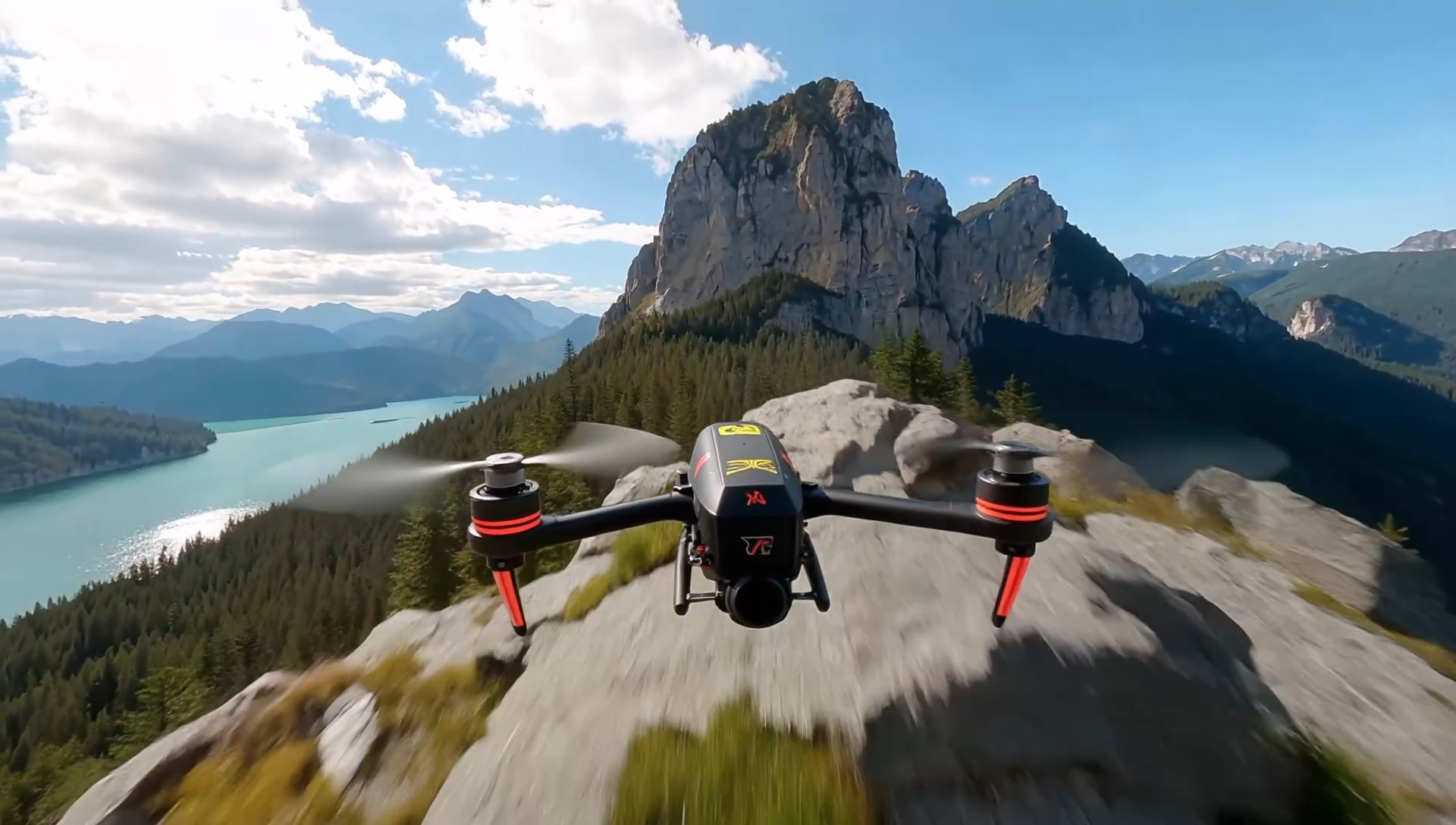 | | |
|^^| | | \
| |16:9 |[视频](https://p9-arcosite.byteimg.com/obj/tos-cn-i-goo7wpa0wc/e0bef5f3806f439da5f0c9f5acc44c9b) |
|^^| | | \
| |4:3 |[视频](https://p9-arcosite.byteimg.com/obj/tos-cn-i-goo7wpa0wc/a8e3202b77744bec83e0c7baa247b84c) |
|^^| | | \
| |1:1 |[视频](https://p9-arcosite.byteimg.com/obj/tos-cn-i-goo7wpa0wc/436df8f6dae74d6c86d08bf1e18bc9d0) |
|^^| | | \
| |3:4 |[视频](https://p9-arcosite.byteimg.com/obj/tos-cn-i-goo7wpa0wc/a3a94a577d754501889535a651d03a55) |
|^^| | | \
| |9:16 |[视频](https://p9-arcosite.byteimg.com/obj/tos-cn-i-goo7wpa0wc/1423ee0fc9cf451398788dc57e9f55c4) |